Video

Google Gems: Create Your Own AI Assistant in Minutes

19 minTutorialNovember 3, 2026

About this video

Google Gems let you create your own specialized AI assistants in Gemini, with instructions, knowledge, files and a preset way of working. In this video, Martin Kuvandzhiev, CEO of encorp.ai, demonstrates Gems in practice. It is the follow-up to his Gemini video, made on viewers' request. He shows Google's ready-made Gems, including the Learning Coach, how to set persistent instructions, how to add a Knowledge Base from Google Drive files, and how to turn a repeatable business process into an AI assistant. A Gem is like a recipe for AI work: you describe the process once and then just give it new tasks. Martin also relates Gems to Skills in Claude and other AI platforms. **Examples shown** - An Article Writer Gem that researches AI news, picks a topic, writes the article, prepares SEO keywords, a meta description and an excerpt, and generates an image - An internal knowledge assistant over company security policies that answers with a procedure and names the source file - A Facebook Post Creator built from scratch, with Gemini helping write the instructions - Sharing Gems with your team **Who it is for:** teams that want repeatable AI workflows and internal knowledge assistants.
Google GemsGeminiAI assistantKnowledge baseCustom AIGoogle AITutorial

Frequently asked questions

A Gem is a specialized AI assistant in Gemini with its own instructions, knowledge and files. You can think of it as a recipe for AI work that you define once and reuse.

Related videos

AI for Marketing: Prompt Engineering and Tools

Learn how AI tools support marketing work, from prompt engineering and content generation to market research and sentiment analysis. See examples with ChatGPT, Gemini, DeepSeek, Grok and Perplexity for practical campaign tasks.

0 views

n8n + Telegram: Build a Personal AI Assistant from Scratch

An n8n Telegram AI assistant can remember your conversations, read and send emails, search the web and carry out tasks for you. In this tutorial Martin Kuvandzhiev, CEO of encorp.ai and n8n Ambassador for Bulgaria, builds a simplified version of Cory, the personal AI assistant Encorp uses internally. You will create a Telegram bot through BotFather, connect it to n8n and an OpenAI model, set a system prompt and role, and return answers to Telegram. Then Martin adds memory per chat so conversations do not mix, restricts access to allowed users with an IF check on the Telegram From ID (preferred over a username), and gives the agent Gmail tools to search, read and send emails. Further touches include a Date & Time tool, Web Search, a typing indicator, Telegram-friendly Markdown formatting, and a separate error workflow that sends a Telegram message with the workflow name and error when something breaks. Ideal for n8n builders who want a practical foundation for a personal or internal AI agent.

Nov 3, 2026
0 views

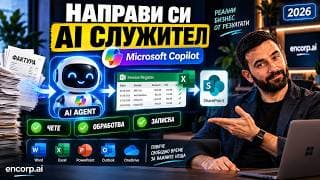
Build an AI Agent in Microsoft Copilot: Step by Step

Building an AI agent in Microsoft Copilot requires no programming, and Martin Kuvandzhiev, CEO of encorp.ai, walks through the whole process step by step. Together with him you build a real business agent called Invoice Processor: you upload an invoice in the chat, the agent reads it, extracts company, date, invoice number, amount, VAT, type and line items, adds them to a shared register and saves the result to SharePoint. The video covers Agent Builder, describing the agent in plain language, Instructions, Skills, Cloud Files, Knowledge Base, Suggested Prompts, testing with a real invoice, working with Excel, adding Copilot Connectors, and sharing the agent with the whole company with different permissions for using and editing. Martin explains the approach Encorp often uses: AI creates the first version, a person reviews it, and then specific business rules are added. He also lists other agents you could build the same way, such as procurement, HR, sales, compliance and internal policy assistants. Useful for managers and teams on Microsoft 365 who want a shared agent that everyone uses the same way.


Nov 3, 2026
0 views

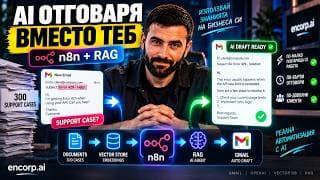
AI Customer Support Agent with n8n and a RAG Database

An AI customer support agent built with n8n and RAG can read hundreds of past support cases and draft the right replies to new customer emails. In this tutorial Martin Kuvandzhiev, CEO of encorp.ai and n8n Ambassador for Bulgaria, builds exactly that from scratch. Starting from a demo document of 300 fictional support cases, he turns it into a knowledge base using embeddings and a vector store (the PDF becomes 425 searchable items), then gives it to an AI Agent as a tool. You see why the whole knowledge base should not go into the system prompt, how a weak first prompt makes the agent ignore the vector store, and how fixing it and structuring the data improves accuracy. Then the system is connected to Gmail: an AI classifier labels each incoming email as support or other, the agent searches the knowledge base and creates a ready Gmail draft, keeping a human in the loop. Martin also explains what he would use in production, such as PostgreSQL/pgvector, Supabase or Pinecone. For automation builders and support teams.

Nov 3, 2026
0 views